


Master minecraft mcpe mod
3.596.00 Reviews
App Specs
- Version
- 3.0.8
- Updated On
- License
- Free
- Downloads
- 10,000,000+
- Developer
- Ali Abbas
- Categories
- Adventure
- Platform
- Android
Screenshots
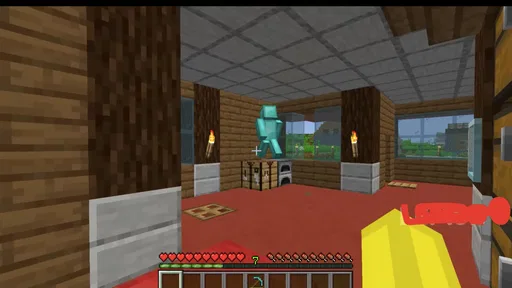
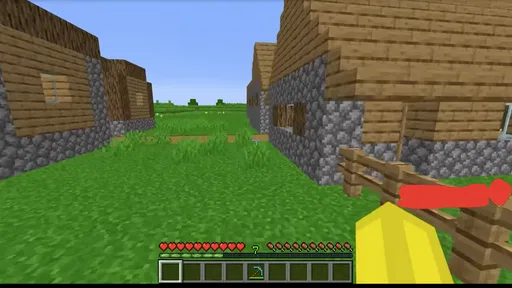
 Analysis by AppCompare
I judge Minecraft add-on apps by a few practical questions: can I find something that suits the world I already play, can I understand how it gets into the game, and is browsing worthwhile even if I do not install anything? Master Minecraft MCPE Mod is a free adventure game companion from Ali Abbas, built around mods and maps for Minecraft PE. Its appeal is straightforward: it gives players a place to look for ways to change a familiar play session without turning the search into a technical project.
That convenience matters most when I have a specific idea in mind. If I want a different look for my character or a new setting to explore, browsing a focused catalog is more appealing than hunting across unrelated pages. The app’s 3.2 average from around 21,000 ratings suggests a mixed reception rather than universal approval, so I would treat it as a useful starting point, not a guarantee that every item will suit every player.
Start with the kind of change you want
Before opening any mod or map catalog, I find it helps to decide whether I want to change how a world feels, how it looks, or where I explore. Those are different goals. A map is the natural choice when I want a new place to visit; a skin is a visual change for my character; a mod is the option to investigate when I want a more substantial twist. Keeping that distinction in mind makes browsing less aimless and helps me avoid downloading items simply because they look appealing in a preview.
This is a sensible fit for players who already enjoy Minecraft PE and want extra ideas close at hand. It is less compelling if I am looking for a standalone adventure with its own story, controls, and progression: the point here is to find additions for Minecraft, not to replace it. I would also skip it if I prefer to keep my game unchanged or do not want to spend time checking whether a particular add-on suits the version and setup I use.
Unpacking the Toolbox
The first thing you’ll notice about the Master Minecraft MCPE Mod is its user-friendly interface. As soon as you open the app, it feels like you’ve stumbled upon a secret stash of mods, skins, and maps. Everything is neatly categorized, making it incredibly easy to find exactly what you’re looking for. From stunning landscapes to quirky character skins, the app has a little bit of everything.
One of my favorite features has to be the mod packs. You can browse through an extensive library of mods that can transform your gaming experience. Want to add some mythical creatures to your world or maybe some futuristic tech? Just a tap away!
Getting Started
Setting up the mods is a breeze, even for someone who isn’t particularly tech-savvy. All you need is to select your desired mod, and the app guides you through the installation process. It’s almost like having a Minecraft wizard by your side, waving a magic wand to make things happen. There’s no need to fumble around with files or complex instructions. Just tap and go.
Worth Reading Before You Choose

Baby Panda World Brings Quick Play to Modern Phones, but Its Game Library Feels Busy

ESPN’s Live Game View Makes Following Close Games Easier

QuizzLand Review: A Good Fit for Short Trivia Breaks, Not Every Player

Basketball Stars: Multiplayer Is Fast, but Can It Recover When Matches Go Wrong?

WEBTOON Turns Phone Updates Into a Better Reading Routine

Link to Windows Runs on Shared Habits, Not Social Feeds
Making downloads fit your play routine
I would still approach each item with a small check-before-you-commit routine. First, read its description closely and decide whether it matches the kind of world I want to use it in. Then, install one change at a time and try it in a separate or disposable world before bringing it into a long-running build. That simple separation makes it easier to tell what changed if a world behaves differently, and it protects a project I have spent a lot of time building from experiments I may not keep.
A realistic use for me would be a short evening session: I have a little time, want a change of scenery, and browse for a map rather than starting a new project from scratch. I would pick one item, follow its setup prompts, and test it before inviting friends or making it part of a shared routine. This is where a guided process can be more approachable than manually searching for files, while still leaving me responsible for choosing carefully and checking that the result works for the way I play.
Endless Customization
Customization is where this app truly shines. The Master Minecraft MCPE Mod offers an impressive array of skins and maps. Whether you’re looking to dress your character in the coolest gear or explore new terrains, the options are seemingly endless. I found myself spending hours just browsing through different skins and maps, each more inventive than the last.
The skins are particularly noteworthy. They range from cute and cuddly to downright terrifying, catering to all kinds of Minecraft players. And the best part? Downloading and applying them is as simple as pie.
Choosing between catalogs, direct downloads, and building your own
The usual alternatives are not all the same. A general catalog is convenient when I want to browse several kinds of add-ons in one place, which is the role this app aims to fill. Looking for a specific creator’s work elsewhere may be better when I care more about that creator’s instructions or want to compare details before choosing. Making a map or skin myself is a different route altogether: it takes more effort, but gives me direct control over the result instead of relying on a ready-made pick.
The trade-off is that convenience does not remove the need to judge compatibility or usefulness. I would not assume that every item will work equally well for every Minecraft PE setup, nor would I install a collection of changes all at once just because the process feels simple. If I am only after one new look, a skin is a lighter commitment than changing the content of a world. If I want a broad, carefully controlled overhaul, a more deliberate search may serve me better than casual browsing.
Community and Updates
Another standout feature is the app’s integration with the Minecraft community. There are regular updates and new content drops, keeping things fresh and exciting. You can even share your own creations, which adds a social aspect to the app. It’s like having access to an ever-evolving universe, with fellow gamers contributing to the magic.
The developers seem dedicated to keeping the app up-to-date, which is always a good sign. They listen to feedback and continuously work on improving the user experience.
What to expect before installing
The game is rated Teen, and it has passed 10 million installs, so it has clearly reached a large audience; that popularity does not tell me whether a particular mod or map will be a good fit for my own play style. It was released on August 26, 2021, and version 3.0.6 is the current version. It requires Android 7.0 or later, so I would check that basic requirement before planning to use it. These details make it easier to decide whether the app belongs on my device, but the more personal question is whether I will actually use a catalog after the first browsing session.
For a player who likes trying new looks and exploring different maps, the answer may be yes. For someone who plays the same carefully maintained world and dislikes changing its setup, a catalog can create more temptation than value. I would also choose another approach if I want a fully self-contained game: this is tied to the Minecraft PE experience rather than offering an independent adventure of its own. The strongest reason to keep it is practical discovery, not a promise that every browse will lead to a perfect addition.
Final Thoughts
In conclusion, the Master Minecraft MCPE Mod app is a must-have for any Minecraft Pocket Edition player looking to elevate their game. Whether you’re in it for the mods, skins, or maps, you’re in for a treat. It’s easy to use, regularly updated, and packed with enough content to keep you entertained for hours on end.
So, what are you waiting for? Dive into the world of endless possibilities and let your creativity run wild. And remember, in the world of Minecraft, the only limit is your imagination!
My recommendation is more measured: I would try it if I play Minecraft PE and enjoy browsing for add-ons, especially when I want a quick source of inspiration rather than a complicated creation workflow. I would keep experiments separate from important worlds and judge each item on its own merits. If that cautious, pick-and-test approach sounds like part of the fun, the app is worth exploring; if I want guaranteed compatibility, a specific creator’s guidance, or a game that stands on its own, I would look elsewhere.
Pros
- Extensive library of mods to enhance gameplay.
- Easy integration with existing Minecraft worlds.
- Regular updates keep content fresh and engaging.
- User-friendly interface for easy navigation.
- Compatible with both Android and iOS devices.
Cons
- Some mods require in-app purchases.
- Occasional compatibility issues with certain updates.
- May slow down game performance on older devices.
- Limited support for non-English languages.
- Ads can be intrusive during use.
FAQs for Master minecraft mcpe mod
What is the Master Minecraft MCPE Mod app used for?
Master Minecraft MCPE Mod is an application designed to enhance the Minecraft Pocket Edition experience. It offers players a variety of mods, skins, maps, and other resources to customize gameplay. Users can easily install these mods to modify game mechanics, add new features, or simply change the look and feel of the game.
Is Master Minecraft MCPE Mod free to use, or are there in-app purchases?
The app itself is free to download and offers a variety of free mods and resources. However, there are also premium features and content that require in-app purchases. This model allows users to access exclusive items, skins, and mods that can further enrich the gameplay experience.
Is Master Minecraft MCPE Mod safe to install on my device?
Yes, the app is generally safe to install on Android and iOS devices as long as it is downloaded from official app stores. It’s important to ensure that your device meets the necessary requirements and that you only download content from within the app to avoid potential security risks.
Can I use Master Minecraft MCPE Mod offline?
While some features of the app may be accessible offline, such as previously downloaded mods and skins, many functionalities require an internet connection. This includes browsing new content, downloading updates, and accessing premium features. Ensure you have internet access to fully utilize the app’s capabilities.
Does Master Minecraft MCPE Mod work with all versions of Minecraft Pocket Edition?
The app is regularly updated to be compatible with the latest versions of Minecraft Pocket Edition. However, compatibility can depend on the specific mods and resources you wish to use. It’s recommended to check the app’s update notes and ensure your game is up-to-date for optimal performance.


